
Tides 2.0 · iPhone and iPad
Every day has highs and lows.
A journal for both. Every day asks two questions: how was it, and what are you grateful for?
Free to use. Tides Plus is optional. No account, no ads. Your journal stays on your devices and in your own iCloud.
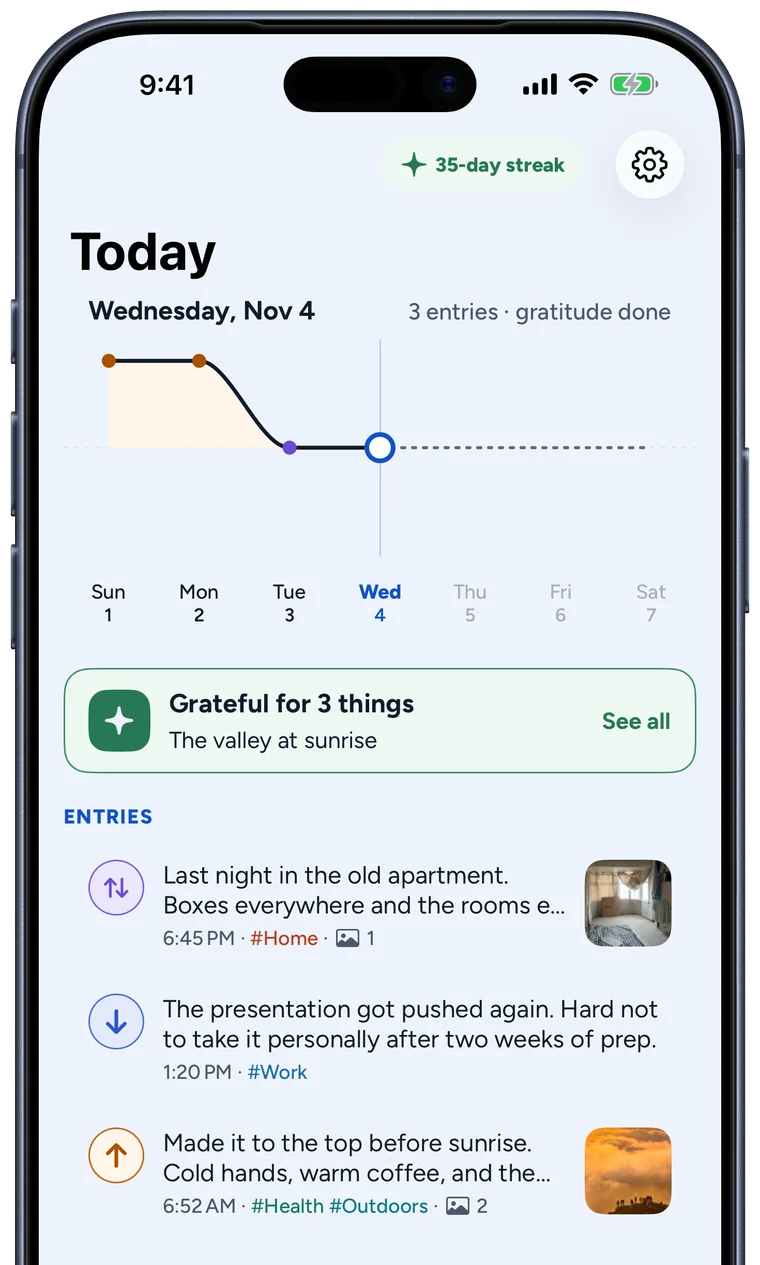
High, Low, or Both
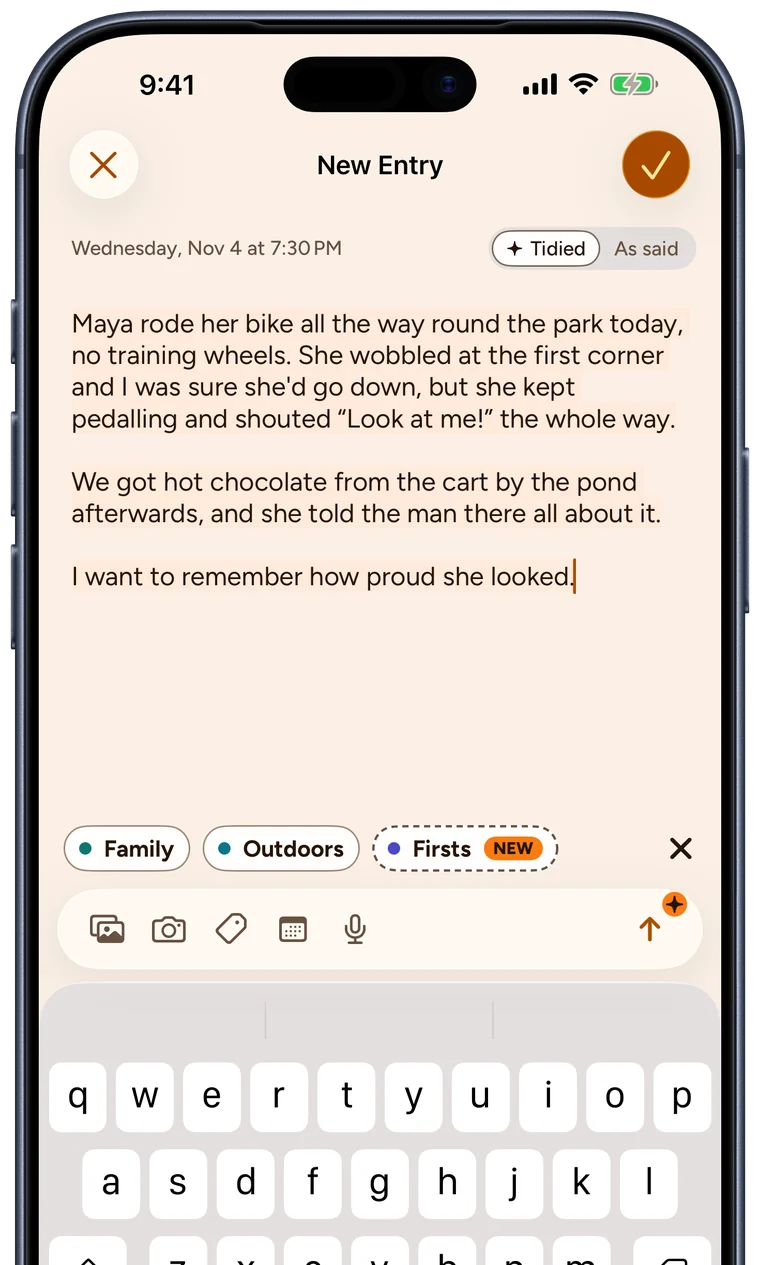
Give each moment a tide. Most days hold one of each, and some moments are both at once: the last night in an old flat, a hard conversation that went well. Add up to three photos and a tag or two. With Apple Intelligence you can say it instead. Tap the mic and talk, and Tides tidies up your words on your iPhone, not on a server.
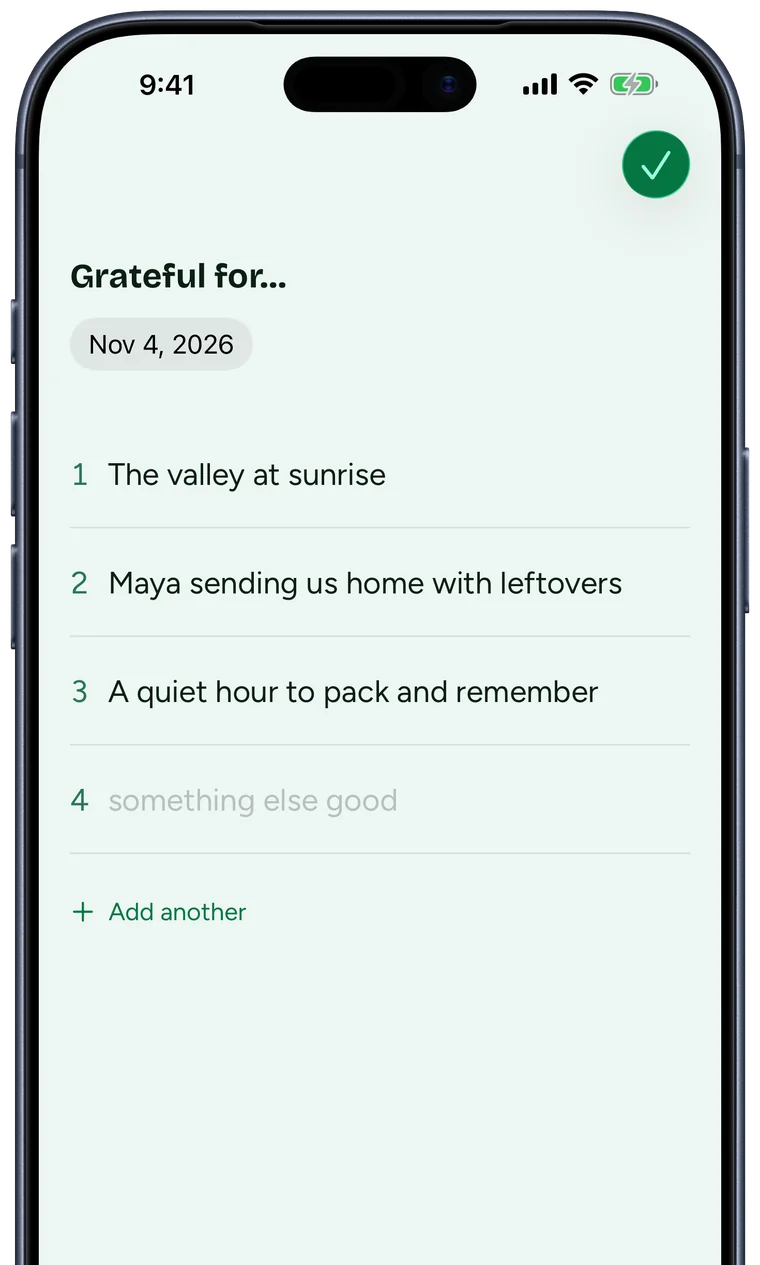
And what are you grateful for?
A Gratitude page that starts with three lines and has room for more, for the small stuff: the bus that came on time, someone else doing the dishes. One streak counts your entries and your gratitude together, so either keeps it going.
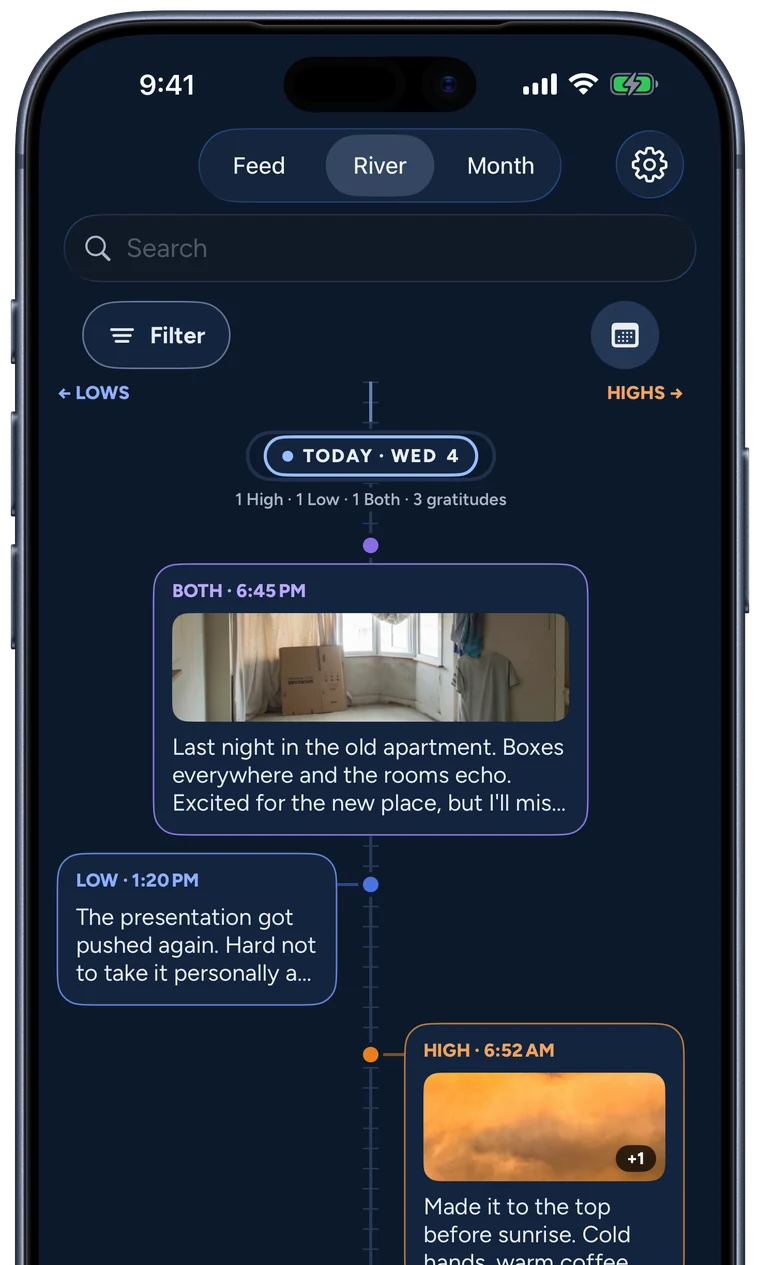
Your weeks, three ways
The Timeline shows your journal three ways. Feed for reading, River for seeing highs and lows trade places down the page, and Month for your photos at a glance. Filter by tide or tag, or jump to any date.
See what lifts you
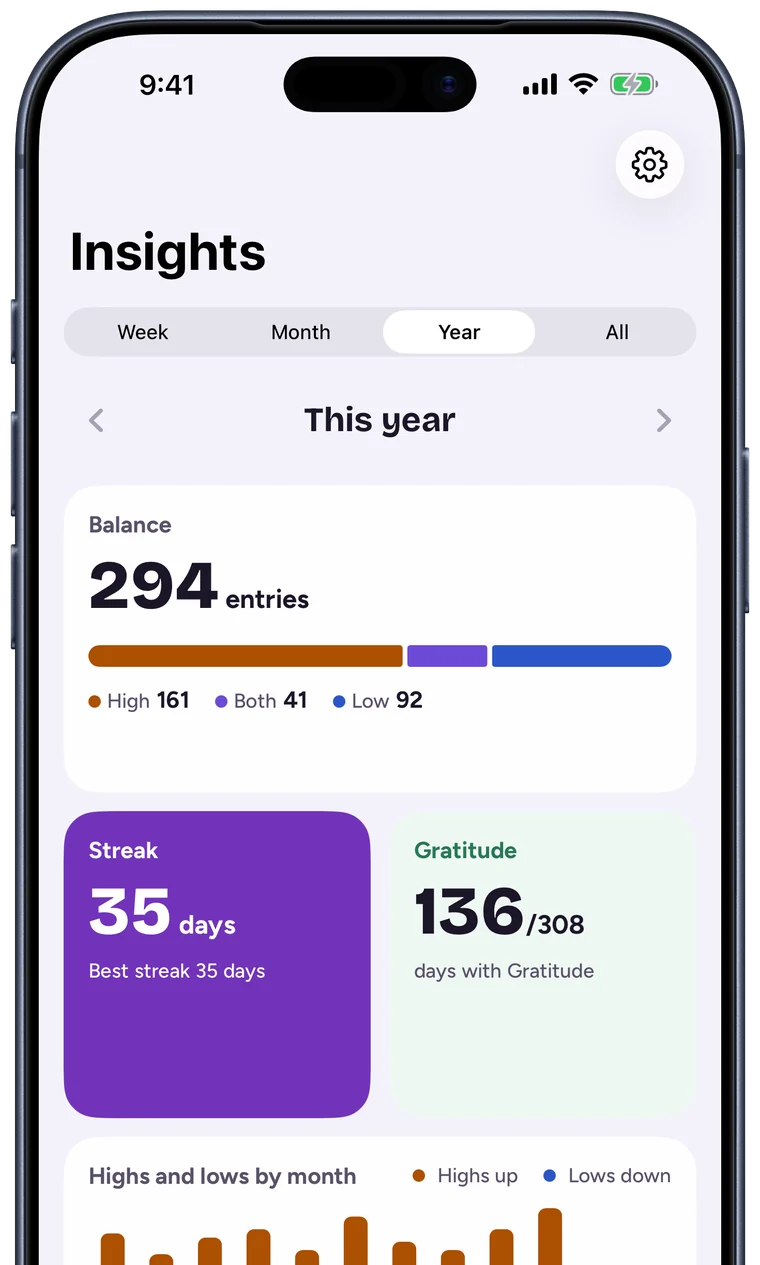
Insights show how your highs and lows balance across a week, a month, a year or your whole journal. See when your highs tend to happen, which day of the week is brightest, and whether days with gratitude go better.
Your month, as a story
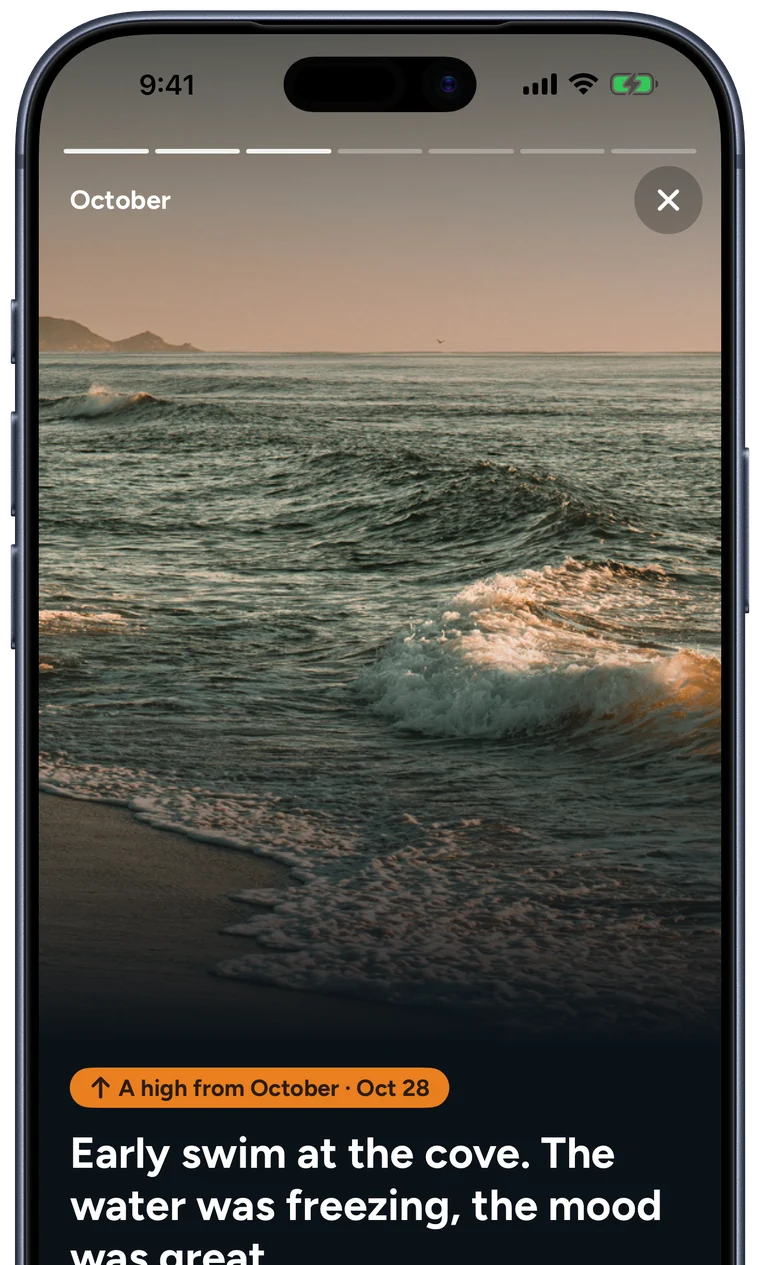
At the start of each month, Tides puts the last one together: how many highs, the best of them, the photos. Flip through it, and share a page if you like.
A picture's worth a thousand words
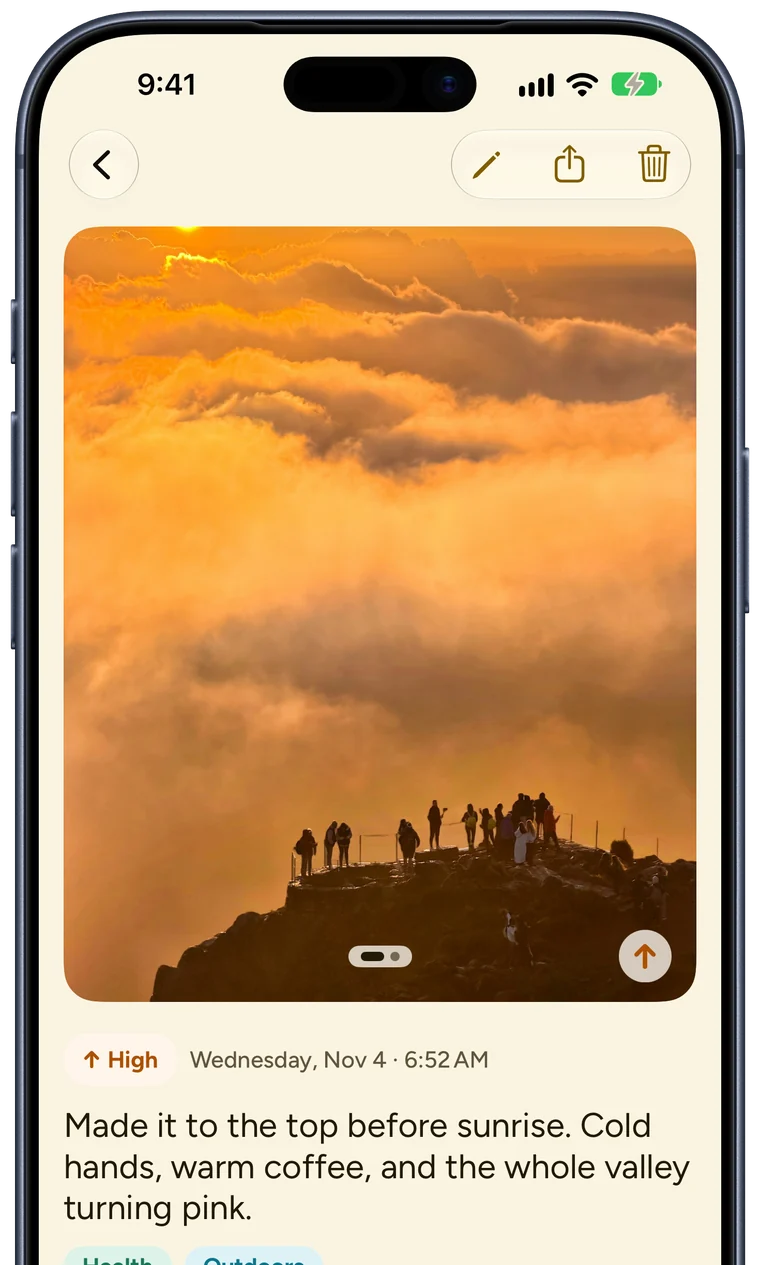
Open an entry and its photos fill the top of the page, with your words underneath.
Eight colour themes
This page has used seven of them. Each one has a light and a dark side and an app icon to match.
Made for iPhone Duo
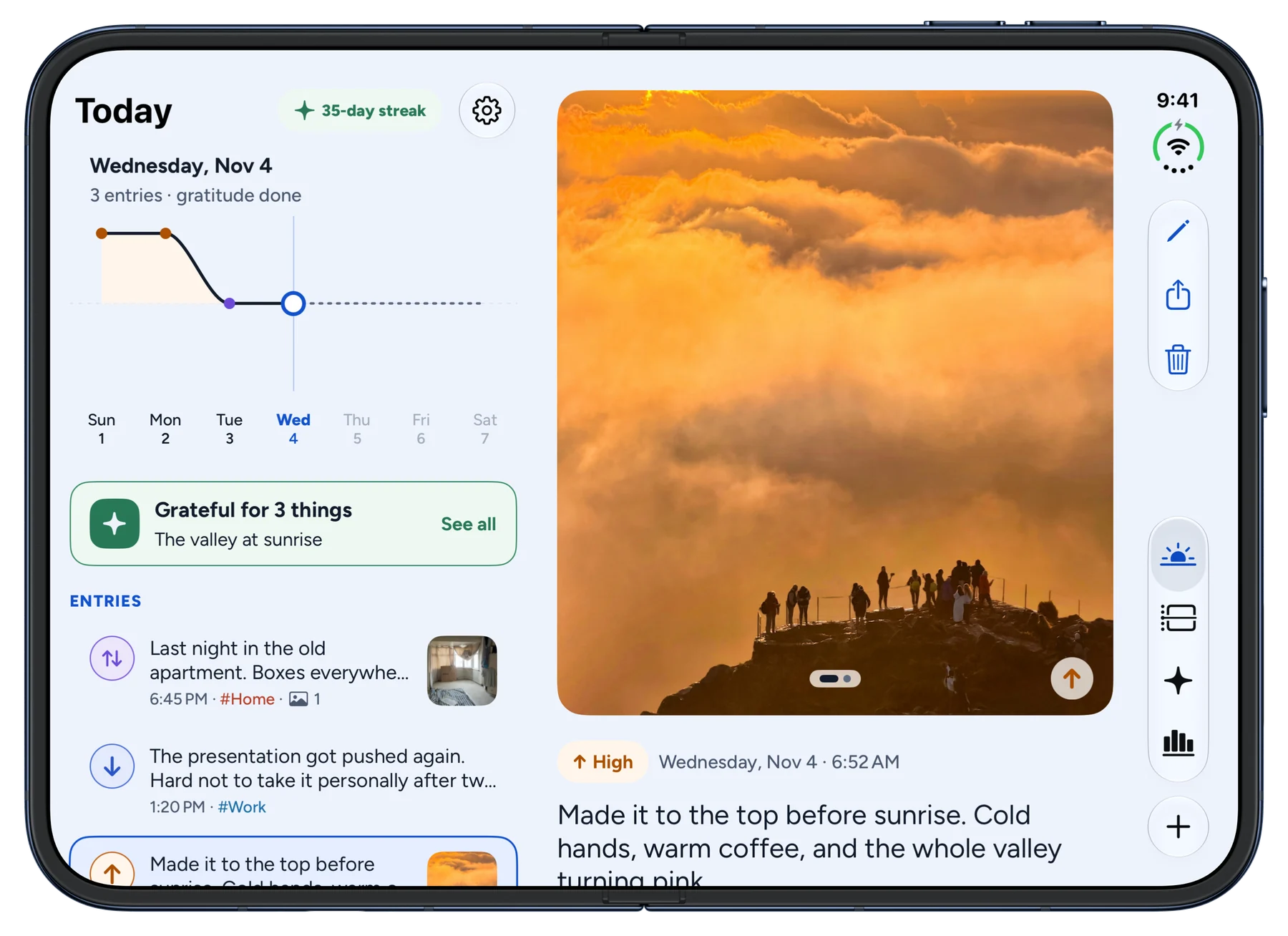
Tides is laid out for both of the Duo's screens. Open it flat and you get two columns, your day or Timeline on one side and the entry you're reading on the other. Half fold it and the columns meet at the hinge. Closed, the outer screen works like any iPhone.
Outside the app

- Widgets
- Today's balance on your Home Screen, and your streak on the Lock Screen.
- Control Center and Shortcuts
- Start a High, a Low or a gratitude page from Control Center, Siri or the Action button.
- Reminders
- A reminder at the time you pick. Off until you turn it on.
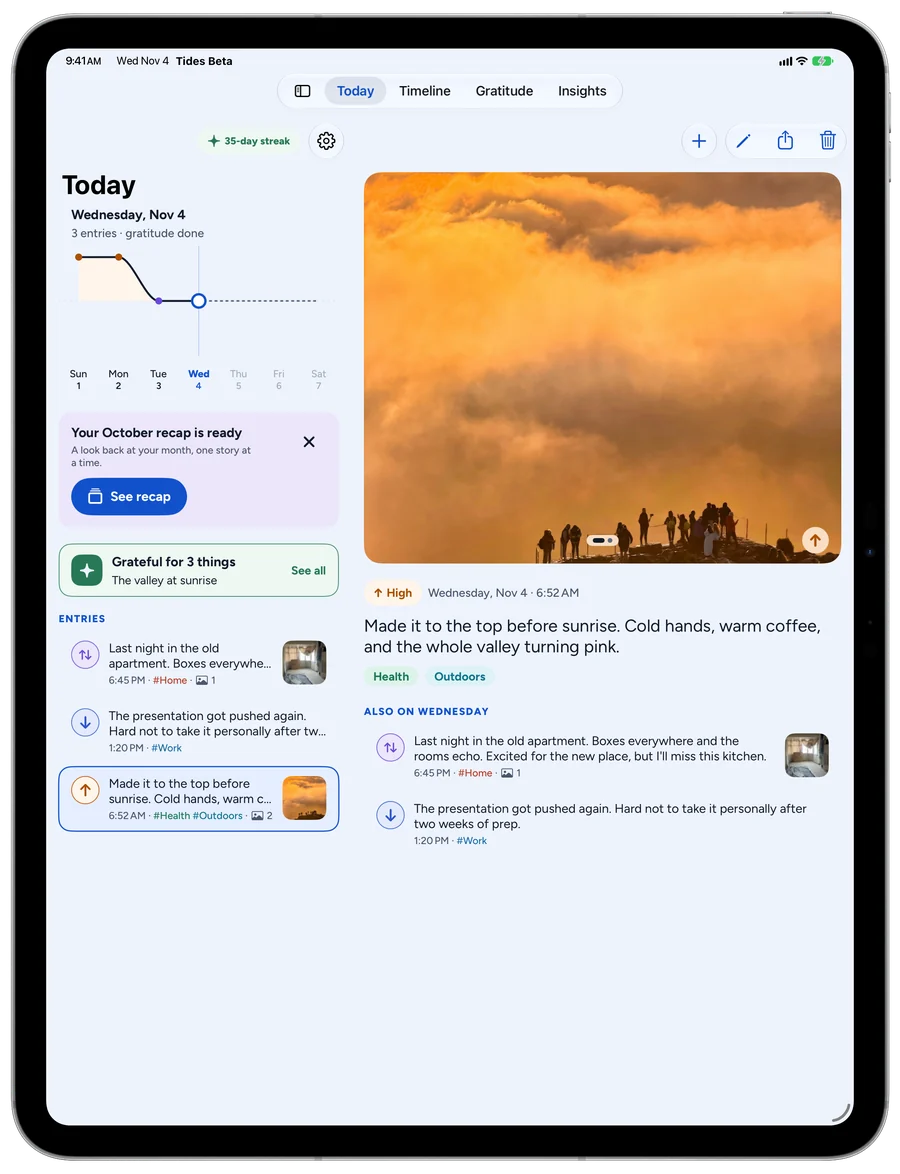
- Made for iPad
- A sidebar, your day or Timeline beside the entry you're reading, multiple windows and keyboard shortcuts.
Your journal is yours
- No account. Nothing to sign up for, and no ads. Tides sends anonymous usage counts, never your words, and one switch in Settings turns them off.
- Locked. Turn on Face ID, Touch ID or a passcode and Tides asks for it every time it opens.
- Yours to keep. Sync through your own iCloud or keep everything on this device, with automatic backups and an export of every word.
New in 2.0
- A daily Gratitude page, as long or short as the day
- Entries can be a High, a Low or Both
- Dictation with Apple Intelligence, tidied up on your device
- Timeline in Feed, River and Month views
- Insights for any week, month, year or all time
- A Month recap you can share
- Tags you can rename, recolour and merge
- Home Screen and Lock Screen widgets
- Control Center buttons and Shortcuts
- Face ID, Touch ID or passcode lock
- iCloud sync and automatic backups
- Eight themes, eight app icons
- Tides Plus, if you want more widgets, icons and fonts
- A layout made for iPad
Upgrading from Tides 1? Everything you wrote comes with you.
Questions
How much does Tides cost?
Tides is free to use. Tides Plus is optional. It adds every widget beyond the small Streak, seven more app icons and three more writing fonts, and you can pay monthly, yearly or once. Writing, Dictation, Gratitude, Timeline, Insights, recaps, iCloud sync and all eight themes stay free.
I used Tides 1. What happens to my entries?
They come with you. Update the app and your entries, photos and tags are where you left them.
Does Tides collect any data?
Anonymous usage counts, never your words. Tides counts things like which Timeline view gets opened, so we can see which features people use. No Entry, Gratitude or Tag text, no Photos and no dates from your journal go with them. Turn them off in Settings › Privacy › Share anonymous usage. The privacy policy lists everything that's sent.
Can I say an entry instead of typing it?
Yes, on an iPhone or iPad with Apple Intelligence turned on (iPhone 15 Pro or later, and iPads with an M-series or A17 Pro chip), in a language it supports. Tap the mic in the composer and talk for up to five minutes. Tides turns what you say into text and tidies it up on your device, not on a server. The ums and false starts come out, paragraphs go in, and the words stay yours. In Settings you pick Readable, which keeps nearly every word, or Compact, which trims too, add notes like “use British spelling”, and teach it names it mishears, so Calen never comes out as Kaylin. Or turn Tidy up off and keep your words as said. Tides keeps no audio. Dictation is free.
Where is my journal stored?
On your device, and in your own iCloud account if you turn on iCloud sync. We can't see it.
What do I need to run it?
An iPhone or iPad on iOS 26 or iPadOS 26 or later. Dictation also needs Apple Intelligence.
Something isn't working.
Email support@liveeveryweeklabs.com and we'll help.
Pick a colour. Write today down.
Free to use on iPhone and iPad. Tides Plus is optional.